


How AI Can Enhance the Way You Think,
Learn, and Create — A Practical Framework
See also: Critical Thinking Skills
AI is now woven into everyday work and study—from drafting reports to summarizing reading, from brainstorming ideas to preparing visuals for presentations. Used well, it does not replace human judgment; it strengthens it. The real advantage is not “speed for its own sake,” but the ability to think more clearly, learn more systematically, and create more effectively with fewer wasted cycles.
Many people have tried AI tools casually—asking a question, generating a paragraph, or making an image. The difference between “interesting results” and “reliable outcomes” is usually one thing: how you communicate your intent to the system, and how you verify what comes back.
This article gives you a practical, repeatable approach you can use across tools: a universal prompt framework, prompts for common thinking and learning scenarios, and simple briefs for visual communication—plus a short checklist for quality and responsible use.

Prompt — The Core Principle to Master AI
A prompt is not magic words. It is a brief: a clear instruction that helps the AI understand your goal, your context, and what “good” looks like. When people feel AI is “random” or “unhelpful,” the issue is often a missing ingredient: unclear objectives, insufficient context, no constraints, or no verification standard.
A strong prompt typically includes:
A clear goal (what you want to achieve)
Sufficient context (help AI to analyze and consider)
Constraints (tell AI what shouldn’t be shown in the result)
Universal Prompt Template
Goal: What are you trying to achieve?
Application: How will the result be used (email, report, study notes, marketing copy, etc.)?
Inputs: What data/materials do you already have (notes, links, rough draft, product photo, etc.)?
Constraints: Time, tone, length, format, “must include / must avoid.”
Quality Bar: What does “good” look like? How will you check it (accuracy, clarity, originality, rubric)?
You can reuse this template for thinking tasks, learning tasks, and creative briefs. It is a communication skill—one that transfers beyond AI to writing, teamwork, and decision-making.
THINK & LEARN: Use AI to Improve Clarity, Study and Brainstorm
Large language models (such as Gemini) are most valuable when you treat them as a thinking partner rather than a shortcut machine. They can help you reduce vagueness, uncover assumptions, consider alternatives, and structure information—but you must guide them with role, context, and evaluation criteria.
Before you ask the AI to “do the task,” define:
Who you are in this situation (student, manager, editor, shop owner)
What output you need (summary, plan, questions, feedback, draft)
What standards you must meet (rubric, tone, format, accuracy threshold)
-
Information Synthesis
When you have fragmented notes—articles, excerpts, bullet points, or multiple sources—you may not have time to read everything deeply or navigate between pages. AI can help you synthesise information into a structured, readable summary. The key is to provide the sources and specify the output structure and tone.
Prompt example (copy/paste and edit):
You are a [role] working on [task]. I’m sharing source material below.
Goal: Create a clear, well-structured synthesis that explains the key ideas and relevant details.
Requirements: Use a professional, academic tone (not casual). Organise the content with headings and bullet points. Highlight key terms and definitions. Distinguish between facts, claims, and assumptions when possible.
End with: (1) 5 key takeaways, (2) 5 open questions, (3) what I should read next.
Source material: [paste text / upload document / paste notes].This approach is especially useful for literature reviews, project background research, meeting preparation, or quickly turning scattered notes into a coherent brief.
-
Learn Coach
If you are studying for an exam or trying to master a topic, the most effective use of AI is not “give me answers.” It is active recall and guided practice: the AI asks you questions, checks your understanding, and forces you to explain clearly.
Prompt example (copy/paste and edit):
I’m preparing for a [subject] exam. I’ve shared the key material above.
Goal: Help me identify gaps in my understanding through a Q&A format.
Instructions: Ask me one question at a time based on the most important concepts. If my answer is incomplete, do not reveal the full answer immediately. Instead, give hints and ask follow-up questions to guide my thinking. When I answer a concept fully, briefly confirm what was correct, then move to the next topic. Keep a running list of my weak areas and provide a final revision plan.To make this even more effective, ask the AI to adapt difficulty:
“Start with beginner-level questions and gradually increase difficulty.”
“Include 2 trick questions to test misconceptions.”
“Create a short mock test at the end with a scoring rubric.”
-
Quality Review
AI can also act as a rigorous reviewer—useful when you are submitting an article, preparing a report, or writing a high-stakes assignment. The important part is to define the criteria. Without criteria, feedback becomes generic.
Prompt example (copy/paste and edit):
Act as a [senior editor / professional teacher].
Context: This piece is intended for [publication/course/audience].
Standards: The quality criteria are: [list the standards—clarity, structure, tone, evidence, originality, audience fit, etc.].
Scoring: Use a 0–100 score. 80+ is considered acceptable.
Task: Score the piece and explain the score. Identify the top 5 issues that most reduce quality. Suggest specific revisions with examples (rewrite 2–3 sentences to demonstrate improvements). Flag any sections that appear vague, unsupported, or inconsistent.
Text to review: [paste text / upload file]This turns feedback into an actionable revision plan rather than a vague “looks good.”
-
Drafting Copy
When you need concise, information-dense copy—for product listings, announcements, or event promotions—AI helps most when you provide concrete inputs (features, audience, tone, and constraints). If you have images, you can also provide them to improve specificity, but you still need to define what the copy must include.
Prompt example (copy/paste and edit):
I am a [shop owner / marketer / organiser].
Goal: Write copy for [product/event] to be published on [website/platform].
Audience: [who will read it].
Inputs: Here is the product image and key details: [paste details].
Output format: 1. Product name (max 8 words) 2. Short description (max 40 words) 3. Detailed description (120–180 words) 4. 5 bullet-point highlights
Constraints: Avoid hype; be clear and specific; no unverifiable claims.This approach is also useful for writing job descriptions, internal announcements, or clear calls-to-action—any situation where clarity and structure matter.
CREATE: Use AI for Visual Communication
Any AI image generator works; BNN AI is one example. The skill you are really practising is not “which tool,” but how to write a visual brief: draft the prompt and essential information.
-
Pie Chart
Always double-check that slice labels and percentages match your source data. If the chart will be used in a report, verify proportions visually or recreate the final chart in a charting tool and use AI for styling.
Pie chart prompt template (replace brackets):
A modern, clean, and professional 3D pie chart on a pure white background, titled "[CHART TITLE]" in bold [COLOR] text at the top.
The pie chart segments are clearly labeled directly on each slice, showing both category name and percentage, using a bright yet harmonious color palette:[CATEGORY 1] → [PERCENTAGE]% → [COLOR HEX / COLOR DESCRIPTION]
[CATEGORY 2] → [PERCENTAGE]% → [COLOR HEX / COLOR DESCRIPTION]
[CATEGORY 3] → [PERCENTAGE]% → [COLOR HEX / COLOR DESCRIPTION]
[CATEGORY 4] → [PERCENTAGE]% → [COLOR HEX / COLOR DESCRIPTION]
[CATEGORY 5] → [PERCENTAGE]% → [COLOR HEX / COLOR DESCRIPTION]
Each slice features a subtle 3D depth and soft shadow.
Apply a slight explosion / separation effect to the largest or most important slice: [HIGHLIGHTED CATEGORY].
Include a clean, minimal legend positioned at the [BOTTOM-RIGHT / BOTTOM-LEFT / SIDE].
Visual style should be minimalist, professional data visualization, inspired by The Economist / Apple keynote slides.
High resolution, 4K quality, no extra objects, no additional text beyond title, labels, and legend.
-
Flyer
Use this brief in your preferred AI image generator. Replace the brackets with your details.
Flyer prompt template:
Create a professional promotional flyer for [EVENT / BUSINESS TYPE].
Include the following clearly readable information:
Name: [EVENT OR BUSINESS NAME]
Date: [DATE]
Time / Hours: [TIME OR OPENING HOURS]
Location: [VENUE / ADDRESS]
Call to Action: [e.g., Register Now / Visit Us / Scan for Tickets]
(QR Code: Include a visible QR code area for more information.)
Style the flyer in a [STYLE – modern / minimalist / vintage / elegant] aesthetic with a [MOOD – bold / welcoming / artistic] tone and a [COLOR PALETTE].
Use a clean layout with strong visual hierarchy (headline → details → call to action), high contrast text, balanced spacing, and relevant visuals or icons.
Output a high-resolution, vertical poster-style flyer with no watermarks and clear, legible typography. -
Brochure
Brochures carry more information than flyers, so prioritise section hierarchy, spacing, and readability. Use this brief in your preferred AI image generator and replace the brackets.
Brochure prompt template:
Create a professional brochure for [EVENT / BUSINESS / PRODUCT TYPE].
Include clearly structured sections with readable text:
Title: [BROCHURE TITLE]
Overview: [1–2 sentence summary]
Key Sections: [FEATURES / SERVICES / HIGHLIGHTS]
Date / Availability: [DATE]
Location: [VENUE / ADDRESS]
Contact / Website: [INFO]
Call to Action: [e.g., Learn More / Visit Us / Book Now]
(QR Code: Include a visible QR code area.)
Use a [modern / elegant / minimalist] style with a [MOOD] tone and [COLOR PALETTE].
Design a [bi-fold / tri-fold] layout with clear section hierarchy, high text contrast, balanced spacing, and supportive visuals or icons.
Output a high-resolution, print-ready brochure with no watermarks and clear, legible typography. -
Virtual Try-On
Virtual try-on works best when you provide two clear inputs: (1) the model photo and (2) the clothes photo. Use image-to-image mode, and place the model image first to reduce unwanted changes. The goal is identity consistency plus realistic clothing transfer.
Virtual try-on prompt template:
Keep everything from image 1 unchanged, including the character’s hairstyle, body shape, posture, facial features, expression, lighting, background, and overall style.
Only replace the clothing and accessories of the character with those from image 2.
Do not change anything else.
Ensure the clothing looks realistic: accurate fabric texture, seams, folds, fit, and natural shadows consistent with the lighting.
Quality, Privacy, and Responsible Use
AI can be powerful, but responsible use is part of the skill.
Do not upload sensitive information (personal IDs, confidential documents, client data, private contracts). If you need help, anonymize or redact first.
Do not treat AI output as unquestioned fact. Verify key claims, numbers, and references—especially in academic, legal, financial, or professional contexts.
Respect copyright and brand assets. Be cautious when using logos, trademarked elements, or other people’s images. When in doubt, use licensed materials or original assets.
For virtual try-on, consider consent and context. Avoid using someone’s likeness without permission, and be mindful of how and where altered images will be published.
Further Reading from Skills You Need
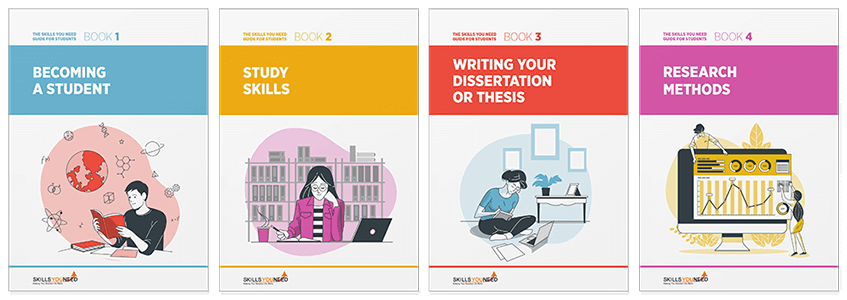
The Skills You Need Guide for Students

Develop the skills you need to make the most of your time as a student.
Our eBooks are ideal for students at all stages of education, school, college and university. They are full of easy-to-follow practical information that will help you to learn more effectively and get better grades.
Conclusion
The most valuable way to use AI is not to outsource your thinking—it is to make your thinking clearer, your learning more active, and your creation more intentional. The tools will change quickly, but the skills remain stable: write better briefs, set clear constraints, define quality standards, iterate methodically, and verify what matters.
If you adopt the universal prompt template and treat AI outputs as drafts you refine and check, you will consistently get better results—whether you are studying, writing, planning, or building visuals for real-world communication.
About the Author
Ada Scott is the founder of High DR Digital Limited, specializing in digital marketing and providing tailored solutions for businesses.