


12 Tools Every Student Needs
See also: Using Apps to Support StudyAre you feeling consistently overwhelmed by the unrelenting demands of your academic life? From juggling tight assignment deadlines and complex research papers to balancing social commitments and personal growth, the modern student experience can often feel like a high-stakes balancing act where time is your most precious resource.
In such a fast-paced and demanding environment, relying on traditional effort alone can quickly lead to burnout. Developing highly effective study skills is no longer just about working harder; it is about creating a structured digital framework that allows you to manage your time, resources, and mental energy far more efficiently.
In this article, we will explore 12 essential software applications and digital platforms that every student should consider incorporating into their academic arsenal. These tools are purposefully designed to help you study smarter, streamline your daily workflows, and make your educational journey more manageable, ultimately giving you the clarity and confidence to succeed in your chosen field.

Microsoft Project
Microsoft Project is an invaluable tool for students, especially those pursuing degrees in business, engineering, or complex sciences. Learning to use this software teaches you how to break down massive, intimidating assignments into manageable components, create detailed timelines, set critical milestones, and allocate your resources effectively. This approach inherently develops the vital project management skills required in both academic and professional settings.
The software introduces students to Gantt charts, which provide a highly visual representation of project timelines, dependencies, and overall progress. This feature is particularly helpful for navigating group projects, ensuring all team members can clearly see their individual responsibilities within the wider context of the assignment. Furthermore, exposure to Microsoft Project gives you a definitive competitive edge in the job market, as many employers actively seek out graduates who are already proficient in industry-standard planning software.
Evernote
Evernote remains one of the most versatile note-taking and digital organisation tools available, capable of significantly improving the way students manage their daily academic lives. It allows for the seamless creation, organisation, and sharing of notes across multiple devices, ensuring that your most important information is always accessible, whether you are in the lecture hall or commuting home.
One of Evernote's standout features is its robust ability to handle various types of media. You can create text notes, embed images, record audio from lectures, and even clip web pages directly into your digital notebooks. This flexibility makes it ideal for capturing diverse materials and compiling information from a wide array of sources. Furthermore, Evernote's powerful optical character recognition (OCR) technology allows you to search for specific text even within scanned images or photographs of handwritten whiteboards.
Grammarly
Grammarly is an essential writing assistant that can dramatically improve a student's writing skills across all academic disciplines. This AI-powered tool goes far beyond basic spell-checking to provide comprehensive feedback on grammar, punctuation, tone, and stylistic clarity.
One of the key strengths of Grammarly is its ability to catch complex syntactical errors that might easily slip past a tired human proofreader. It rapidly identifies issues with subject-verb agreement, tense consistency, and awkward sentence structures, providing clear explanations alongside its suggestions. Additionally, its genre-specific style settings are invaluable for students who must frequently switch between writing rigorous academic essays, creative portfolios, and professional emails.
Mindgrasp
Mindgrasp is a smart AI study Tool that changes how students actually engage with their learning materials. Instead of sitting through hours of lectures or skimming through dense PDFs hoping something sticks, students can upload almost anything—including documents, YouTube videos, Zoom recordings, PowerPoint slides, or web links—and get clear summaries, structured notes, and direct answers pulled straight from that content.
What makes Mindgrasp particularly useful is how it handles the parts of studying that eat up the most time. It automatically generates flashcards and practice questions from whatever you upload, so you spend less time building study materials and more time actually learning. This is especially helpful during high-pressure exam seasons when you need to move fast.
The question and answer feature is another big plus for research-heavy coursework. You can ask Mindgrasp specific questions about an uploaded document and it will pull accurate, relevant answers with references back to the source, saving you from hunting through dozens of pages to find one paragraph that matters. Students juggling multiple subjects will also appreciate that Mindgrasp handles several uploads at once, making it easy to cross-reference different course materials in one central place.
ProProfs Quiz Maker
ProProfs Quiz Maker is a highly effective way to turn your static lecture notes into dynamic, real-world practice tests, moving you away from the passive habit of simply re-reading pages and hoping the information sticks. With its integrated AI generator, you can quickly build a custom quiz from your study material, then refine it to match the exact areas you need to practice. Building quick self-quizzes and growing a question bank over time is an incredible strategy for identifying weak areas prior to major exams.
The flexibility of the platform is what makes it so helpful for modern studying. You have access to over 20 different question types, alongside options like countdown timers to simulate a high-pressure "mock exam" environment. The software even shuffles questions and answer options to ensure you are genuinely recalling facts rather than just memorising the visual pattern of the correct answers. You also receive instant, detailed results to immediately gauge what you have mastered.
Trello
Trello is a visually intuitive project management and collaboration tool that can significantly enhance a student's organisational efficiency. While it is heavily utilised in corporate settings, Trello's user-friendly interface and highly adaptable features make it an exceptional choice for managing heavy academic workloads and coordinating complex group projects.
At its core, Trello operates using a Kanban-style system of boards, lists, and cards to represent your active projects and pending tasks. This visual approach to organisation aligns perfectly with how many students naturally categorise their workloads. For instance, you might create a master board for the current semester, using lists to represent different modules, and individual cards to track specific essays, reading assignments, or laboratory reports. The ability to attach deadlines, assign team members, and create sub-task checklists makes it a powerhouse for academic planning.
Notion
Notion is a comprehensive productivity and workspace tool that has gained massive popularity among the student demographic due to its sheer versatility and deeply customisable nature. It successfully merges the core elements of note-taking, task management, and database creation into a single, sleek platform.
One of Notion's greatest strengths is its structural flexibility. Students can build a deeply personalised digital workspace that caters precisely to their unique learning style. While there are many Notion alternatives on the market, few match its ability to seamlessly nest pages within pages, allowing you to organise information in a logical, hierarchical manner. Furthermore, the platform offers a wealth of pre-made templates tailored for academic needs, such as Cornell note-taking systems, literature review trackers, and robust weekly planners.
Anki
Anki is an incredibly powerful, open-source flashcard application that relies on spaced repetition algorithms to drastically optimise your learning and long-term memory retention. While the interface may appear basic at first glance, the sophisticated scheduling mechanics running beneath the surface make it an indispensable tool for students in heavily fact-based disciplines like medicine, law, or languages.
Spaced repetition is a proven cognitive technique that involves reviewing specific information at gradually increasing intervals. Anki tracks how easily you recall the answer to each flashcard and actively adjusts your future review schedule accordingly. Cards that you struggle to remember are presented more frequently, while deeply ingrained facts are scheduled for review at much longer intervals, ensuring you never waste time studying material you already know.
Zotero
Zotero is a free, open-source reference management software that has become a mandatory tool for any student engaged in research-intensive academic writing. The platform provides comprehensive features for collecting, organising, citing, and sharing research sources, fundamentally removing the headache from the bibliography creation process.
One of Zotero's standout features is its highly efficient browser extension, which allows you to capture complex bibliographic metadata directly from library catalogues, academic databases, and standard websites with a single click. When it comes time to write, Zotero integrates seamlessly with word processors like Microsoft Word and Google Docs. This allows you to rapidly insert in-text citations and automatically generate perfectly formatted bibliographies in almost any required academic style, completely eradicating the stress of manual academic referencing.
Forest
Forest is an innovative productivity application that cleverly combines focus-enhancement techniques with genuine environmental awareness. Its primary function is to help users stay completely focused and avoid digital distractions—particularly the constant lure of smartphone notifications—while simultaneously contributing to real-world tree-planting initiatives.
The psychological concept behind Forest is simple yet highly effective: you set a timer for the duration of your intended study session, and a virtual tree begins to grow on your screen. If you leave the application before the timer concludes to check social media, your virtual tree immediately withers and dies. This gamification of focus provides a visual and emotional incentive to stay entirely on task. As you successfully complete study sessions, you earn virtual coins that the company uses to fund the planting of real trees in partnership with environmental charities.
Todoist
Todoist is an elite task management application that helps students regain control over their chaotic schedules. Its minimalist interface and robust feature set make it an outstanding tool for meticulously tracking daily assignments, long-term academic projects, and general life administration tasks.
One of Todoist's most powerful features is its natural language input system. You can quickly type a thought like "Submit sociology essay next Friday high priority," and the application will instantly interpret the text, assign the correct due date, flag the priority level, and place it into your designated project folder. By utilising its priority flagging system (P1 to P4), you can easily separate urgent academic deadlines from less important background tasks, ensuring your daily focus remains exactly where it needs to be.
Miro
Miro is a highly dynamic online whiteboard platform that has become increasingly vital for students who thrive on visual learning and collaborative brainstorming. While traditionally aimed at corporate design teams, Miro's infinite digital canvas provides an exceptional space for students to map out complex academic theories and massive research projects.
The infinite canvas allows you to create expansive mind maps, intricate flowcharts, and detailed concept diagrams without ever running out of space. This visual approach is fantastic for outlining the structure of a dissertation or drawing connections between disparate course modules. Furthermore, Miro shines during group assignments; multiple students can log into the same board simultaneously, adding digital sticky notes, uploading reference images, and actively mapping out their presentation in real-time, regardless of their physical location.
Further Reading from Skills You Need
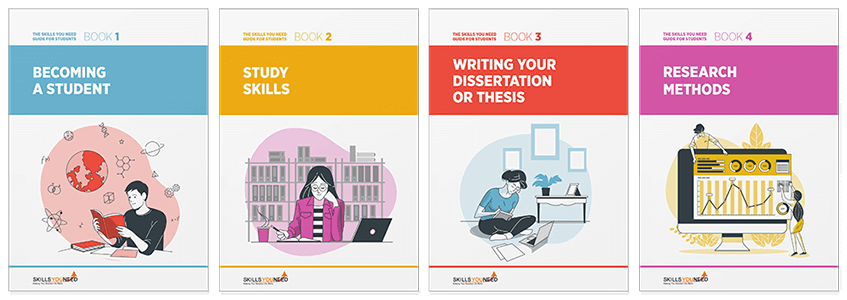
The Skills You Need Guide for Students

Develop the skills you need to make the most of your time as a student.
Our eBooks are ideal for students at all stages of education, school, college and university. They are full of easy-to-follow practical information that will help you to learn more effectively and get better grades.
Conclusion
Experiencing periods of intense overwhelm is a common hurdle for most students, but it does not have to be your permanent reality. The 12 digital tools outlined above are specifically designed to lighten your cognitive load, automate repetitive tasks, and drastically enhance your overall productivity. Start systematically incorporating a few of these applications into your daily academic routine and observe the immediate difference they make. Remember, the ultimate goal of studying is not simply to grind harder, but to work with strategic efficiency. By embracing these resources, you can take firm control of your academic journey with newfound clarity and confidence.
About the Author
Ellie Yantsan is an Educational Technologist and study skills coach with over a decade of experience helping university students optimise their learning strategies. She regularly consults on the integration of digital tools to improve academic productivity and reduce student burnout. When she isn't helping learners streamline their digital workflows, Ellie enjoys restoring vintage bicycles and exploring local trails.