

How to Stay Safe on Public Networks
See also: Online Shopping and PaymentsSome of the most common areas targeted by cybercriminals are public Wi-Fi networks in cafes, airports, and hotels. While these networks offer undeniable convenience, they also present significant vulnerabilities. Hackers actively target unsuspecting users on these open connections to intercept private credentials, financial details, and sensitive personal data.
A common tactic involves hackers creating rogue hotspots. They mimic the names of legitimate public Wi-Fi networks offered by businesses. When an unsuspecting user connects, the hackers can monitor all traffic or inject malware directly into the user's device, exposing their private information for criminal activities or identity theft.
However, you do not need to avoid public Wi-Fi altogether. With a pragmatic approach and the right security habits, you can use these networks safely and confidently.
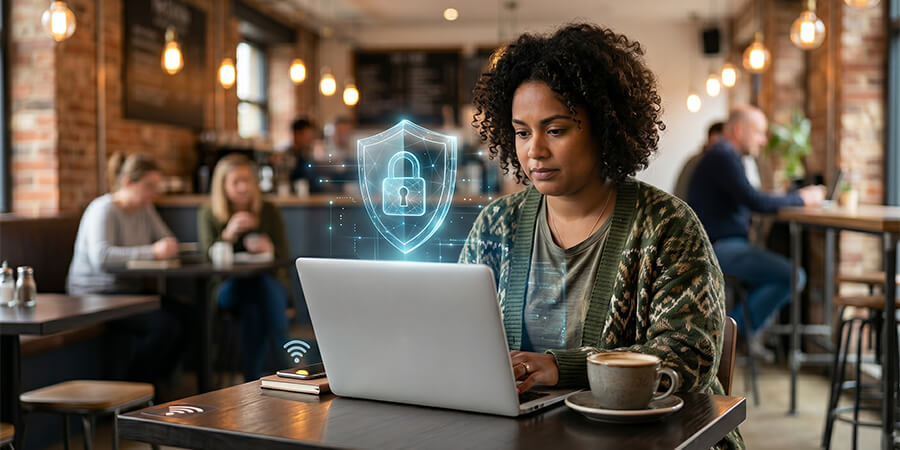
Understanding the Public Wi-Fi Threat Landscape
Public Wi-Fi networks are inherently insecure because they are designed for easy access rather than robust protection. The primary threat on these networks is a "Man-in-the-Middle" (MitM) attack. In this scenario, a cybercriminal intercepts the communication between your device and the network router. Instead of your data travelling directly to the internet, it passes through the hacker's system first.
This interception allows the attacker to read, copy, or even alter your data in transit. Everything from the emails you send to the passwords you type can be captured if the connection lacks proper encryption. Furthermore, the barrier to entry for executing these attacks is disturbingly low; readily available software tools allow even novice hackers to sniff network traffic. Understanding this vulnerability is the first step in recognising why proactive security measures are non-negotiable.
Verify the Authenticity of the Network
Always ensure that you are connecting to an authentic public network, rather than a rogue hotspot created by cybercriminals. Hackers often set up "evil twin" networks with names deliberately designed to look legitimate, such as "CoffeeShop_Guest_Free" instead of the official "CoffeeShop_Guest".
Verifying the correct Service Set Identifier (SSID)—the technical term for the Wi-Fi network's name—is vital. Before completing any connection on your laptop or phone, counter-check the exact network name with a member of staff. Even small typographical differences can indicate a malicious network.
Furthermore, ensure that you have turned off your device's sharing preferences. Features like file sharing, AirDrop, or network discovery should be disabled when you are in a public space. Most criminal networks operate as open, unencrypted connections. Whenever possible, choose networks that require a password, as this provides a baseline layer of encryption that open networks lack.
Secure Your Devices Before Connecting
Proactive device security is essential for protecting your individual data. Your device should be a fortress before it ever makes contact with a public router.
Begin by installing reputable antimalware and antivirus software. These applications are designed specifically to monitor incoming data streams and alert you to suspicious threats or attempted breaches. A robust firewall is also essential when using a public network, as it acts as a barrier between your device and potential data-based malware.
Crucially, ensure that your operating system and all applications are up to date. Software updates frequently contain patches for known security vulnerabilities. Delaying these updates leaves the door open for hackers to exploit older flaws. The WannaCry ransomware attack that crippled organisations globally is a stark reminder of the dangers of running outdated, unpatched software.
Practise Safe Browsing Habits
Even if your device is secured, you must exercise caution regarding the types of activities you conduct over public Wi-Fi. Because the network itself may be compromised, you should operate under the assumption that someone might be watching your traffic.
Avoid logging into highly sensitive accounts. Do not check your bank balance, conduct monetary transactions, or access confidential work portals while on public Wi-Fi. Similarly, be cautious about accessing social media accounts where session cookies could be hijacked. It is also important to educate others; for instance, you should carefully monitor children and their use of social media when they are connected to public networks.
Use Encrypted Connections (HTTPS)
When browsing, always verify that the websites you visit use HTTPS rather than the older, unencrypted HTTP protocol. The "S" stands for secure, indicating that the site encrypts the data flowing between your browser and the website's server.
Using an encrypted website—such as https://www.skillsyouneed.com—means that your search queries, login credentials, and site interactions are scrambled, making them unreadable to hackers or third parties eavesdropping on the network. Modern browsers usually display a padlock icon in the address bar to confirm a secure connection. If a browser warns you that a site is not secure, do not proceed, especially on public Wi-Fi.
Install and Use a Virtual Private Network (VPN)
Virtual Private Networks (VPNs) offer the most robust privacy and security solution for public browsing. A VPN creates a secure, encrypted tunnel between your device and a remote server, ensuring that all your internet traffic is protected from prying eyes.
Without a VPN, your data travels openly to the network router and your Internet Service Provider (ISP), exposing your IP address, location, and browsing habits. Cybercriminals on the same public network can easily intercept this unencrypted traffic. A VPN masks your IP address and encrypts your data packet by packet. Modern services often use the Wireguard VPN protocol to ensure these connections remain lightning-fast without sacrificing encryption strength.
By routing your connection through a VPN, you effectively render your data invisible to local hackers, making it the safest way to protect your sensitive information on an untrusted network.
Enable Two-Factor Authentication (2FA)
Passwords alone are no longer sufficient to protect your digital identity, particularly when operating on public networks where keystroke logging or packet sniffing might occur. Two-factor authentication (2FA) provides a critical second layer of defence.
By enabling 2FA on your bank accounts, emails, online learning portals, and social media profiles, you ensure that even if a hacker intercepts your password, they cannot access your account without the second factor. This usually involves a time-sensitive code sent to your mobile device via SMS or generated by an authenticator app. This simple step drastically reduces the risk of account compromise.
Monitor and Disable Bluetooth Connectivity
While Wi-Fi is the primary vector for public network attacks, Bluetooth connections present an equally significant, though often overlooked, vulnerability.
Leaving your Bluetooth enabled and "discoverable" in a public area invites various exploits. "Bluebugging" allows hackers to take complete control of your mobile device, accessing messages, photos, and even making calls. "Bluesnarfing" targets data theft, allowing criminals to steal contacts, emails, and downloads. Finally, "Bluejacking" involves sending unsolicited, often malicious, spam messages directly to your device.
To eliminate these risks, cultivate the habit of turning off your Bluetooth whenever you are not actively using it in a public space. This simple action completely removes a major avenue for cyberattacks.
Conclusion
Public Wi-Fi is an undeniable convenience in our increasingly connected world, but it requires a disciplined approach to security. You do not need to avoid public networks completely; rather, you must navigate them with informed caution. By verifying networks, using VPNs, enabling firewalls, and practising safe browsing habits, you can confidently protect your private data from interception. Treating every public network as potentially hostile is the most effective strategy for maintaining your digital security.
About the Author
Péťa Slavík is an IT Security Specialist and Cybersecurity Consultant with over a decade of experience helping individuals and businesses protect their digital assets. When he isn't auditing network vulnerabilities, Péťa enjoys restoring vintage road bicycles and hiking.