

How Can AI Help in
Creating Winning Presentations?
See also: Understanding Large Language Models (LLMs)
Have you ever found yourself struggling to create a visually appealing and highly informative presentation for a critical business meeting? Perhaps you have spent countless hours meticulously trying to perfect your slide layouts and formatting, only to receive lacklustre feedback from your colleagues or clients who failed to connect with the core message.
Creating presentations that genuinely captivate your audience and effectively communicate complex ideas can be a deeply daunting task. The pressure to perform, combined with the technical friction of traditional slide-building software, often leaves professionals feeling overwhelmed. However, the rapid emergence and democratization of artificial intelligence (AI) presentation tools have made this entire process significantly simpler, faster, and remarkably more effective.
In this comprehensive guide, we will deeply explore how AI can help you create stunning presentations that leave a lasting, positive impression on your stakeholders. We will discuss how integrating AI-generated assets and structural tools into your workflow can save you immense amounts of time and cognitive energy, allowing you to focus on what truly matters: your human delivery and connection with the room.
Whether you are a seasoned corporate executive, an aspiring entrepreneur, or a student looking to elevate your fundamental presentation skills, understanding how to leverage these digital co-pilots is essential. Let's explore the strategic ways artificial intelligence can elevate your presentations to a significantly higher level.

7 Ways AI Can Help Create Winning Presentations
Improved Visuals and High-Quality Imagery
AI-powered design tools possess the remarkable ability to analyze the raw text content of your presentation and automatically generate visually appealing slides that convey your message with striking clarity. These tools can autonomously select appropriate images, intuitive icons, and complementary colour palettes based on the semantic context of your text, creating a cohesive and deeply engaging visual experience for your audience.
Many modern platforms, such as VistaCreate, allow you to effortlessly convert text prompts into visually captivating slides, saving you valuable time and creative energy. You can choose from various AI-generated presentation templates and smart colour presets, allowing you to establish a unique and highly professional brand identity in seconds.
Beyond the overall layout, another key element of professional visual design is the sheer quality of the source images themselves. It is a familiar, frustrating problem: you finally find the perfect photograph to illustrate your point, but it is a small, low-resolution file. When projected onto a massive meeting room screen, that image becomes blurry and pixelated, immediately detracting from your professional authority. In these specific situations, utilizing a specialized AI image enhancer becomes incredibly valuable. These tools are mathematically designed to analyze and upscale smaller images, drastically improving their resolution and edge clarity. This is a highly practical, fail-safe way to ensure your visuals look razor-sharp and authoritative, even when you are forced to start with a less-than-ideal source file.
Seamless and Purposeful Transitions
Smooth, logical transitions between slides are absolutely essential for maintaining audience engagement and ensuring a seamless narrative flow. Jarring cuts or overly flamboyant effects can distract the audience and break their concentration. AI can cognitively analyze the sequential content of your slides and automatically suggest appropriate, subtle transitions to keep your audience captivated without overwhelming them.
By automatically selecting the optimal transition styles based on the specific emotional tone or data density of your content, these tools save you the tedious task of manually tweaking animation timings. The result is a highly polished, broadcast-quality presentation that gently guides the audience's attention exactly where you want it, precisely when you want it.
Voice-Activated Commands and Accessibility
AI-powered voice assistants are revolutionizing the physical act of presenting, making it far more accessible and seamless. By utilizing intelligent voice commands, you can seamlessly control the flow of your presentation without needing to remain tethered to a keyboard or awkwardly fumbling with a handheld clicker. This physical liberation allows you to use open body language, maintain unbroken eye contact, and concentrate entirely on conveying your message and interacting directly with your listeners.
Furthermore, major presentation software has successfully integrated advanced AI technology to provide live, highly accurate captions and subtitles in dozens of supported languages. These subtitles dynamically appear as you speak, making your presentations drastically more inclusive for neurodivergent audience members, those with hearing impairments, or non-native speakers.
Generating Insightful Data Visualizations
Data-driven presentations are completely essential for conveying complex market realities and driving informed corporate decisions. However, presenting raw spreadsheets is a guaranteed way to lose an audience. AI excels at rapidly analyzing colossal datasets and extracting the most meaningful, hidden insights.
Advanced AI technologies, such as deep machine learning and natural language processing, can sift through enormous volumes of data to detect non-obvious patterns or emerging trends. Modern BI (Business Intelligence) tools leverage this AI to automatically generate actionable insights and clean, striking visualizations that highlight the "story" behind the numbers. Incorporating these AI-generated data narratives into your presentations will provide irrefutable evidence for your arguments, making you a vastly more persuasive speaker.
Automated Text Creation and Structuring
Creating compelling, logically structured text content for a thirty-minute presentation can be incredibly time-consuming, often leading to severe writer's block. AI-powered writing assistants act as brilliant collaborative partners, helping you quickly generate high-quality text outlines and ensuring your core message is logically structured.
By utilizing advanced natural language processing, these tools can construct concise bullet points, draft compelling introductory hooks, and even suggest the overarching narrative arc of your entire slide deck based on a few simple keyword prompts. This ensures your presentation is not only deeply informative but also structured in a way that respects the audience's cognitive load. It removes the friction of staring at a blank page, allowing you to focus your energy on refining the content and practicing your delivery.
Creating Engaging, Cognitive Animations
When used sparingly and strategically, incorporating purposeful animations into your presentations has the phenomenal potential to increase audience retention and visual appeal. However, manual animation is notoriously tedious. AI-powered animation tools can analyze your specific content and suggest highly suitable micro-animations based on the visual hierarchy of your slides.
For instance, an AI tool can automatically stagger the appearance of complex flowchart elements in time with your speaking pace, preventing the audience from reading ahead and ignoring your speech. By relying on AI to handle the complex timing algorithms, you can craft dynamic presentations that make complex, multi-step concepts instantly understandable.
Automated Design and Layout Suggestions
Designing a structurally sound, aesthetically pleasing presentation from scratch is exceptionally challenging, especially if you lack formal graphic design expertise. AI-powered design assistants act as your personal art director. They provide layout suggestions based on established design principles—such as the rule of thirds, golden ratio, and optimal whitespace—tailored specifically to your content and your target audience.
These platforms offer a vast array of smart templates, cohesive colour schemes, and typography pairings that are automatically generated and applied globally to your deck with a single click. This guarantees that your presentation maintains a polished, unified, and visually authoritative appearance from the title slide to the final conclusion, completely eliminating amateur design errors.
Conclusion
The strategic implementation of artificial intelligence in presentation creation has fundamentally revolutionized how professionals communicate their ideas, data, and core messages. With the assistance of AI-generated frameworks and visual assets, we can save immense amounts of time and cognitive energy while consistently producing visually stunning, highly informative slide decks.
By eagerly incorporating these advanced AI tools into our presentation workflow, we gain immediate access to a suite of features that make our work drastically more efficient. Automated slide layouts, intelligent design suggestions, dynamic data visualization, and real-time accessibility features all serve to remove the mechanical friction of public speaking. This ultimately allows us to focus our primary attention exactly where it belongs: on the authentic human delivery of our message.
However, it is critically important to remember that while AI tools are phenomenally beneficial, they should never be viewed as a complete replacement for human creativity, emotional empathy, and personal connection. AI-generated presentations should be treated as a powerful supportive tool designed to elevate your existing skills, rather than an autopilot solution.
Ultimately, whether you are a senior business leader seeking to inspire your department or a student defending a complex thesis, mastering the integration of AI in your presentation creation will give you a massive competitive advantage. Embrace the power of these digital co-pilots, experiment boldly with their features, and use them to help you deliver presentations that truly captivate, persuade, and inspire your audience.
Further Reading from Skills You Need
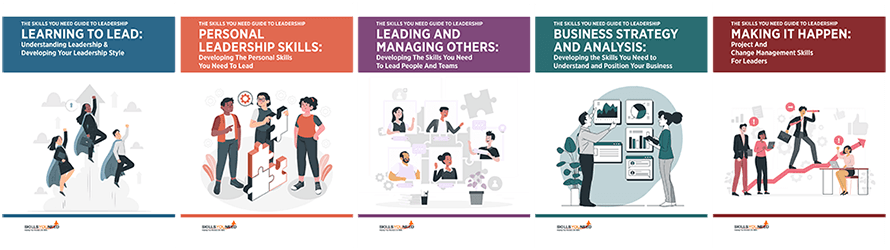
The Skills You Need Guide to Leadership eBooks
Learn more about the skills you need to be an effective leader.
Our eBooks are ideal for new and experienced leaders and are full of easy-to-follow practical information to help you to develop your leadership skills.
About the Author
Shivam Singh Chauhan is a presentation design consultant and AI workflow specialist who helps professionals deliver high-stakes pitches with confidence. With a deep background in corporate communications, he bridges the gap between modern technology and authentic human storytelling. When he isn't exploring the latest AI design tools, Shivam enjoys hiking, landscape photography, and experimenting with new culinary recipes.